 by
by Kanban for UK Service and Manufacturing: Visual Workflow Management Guide
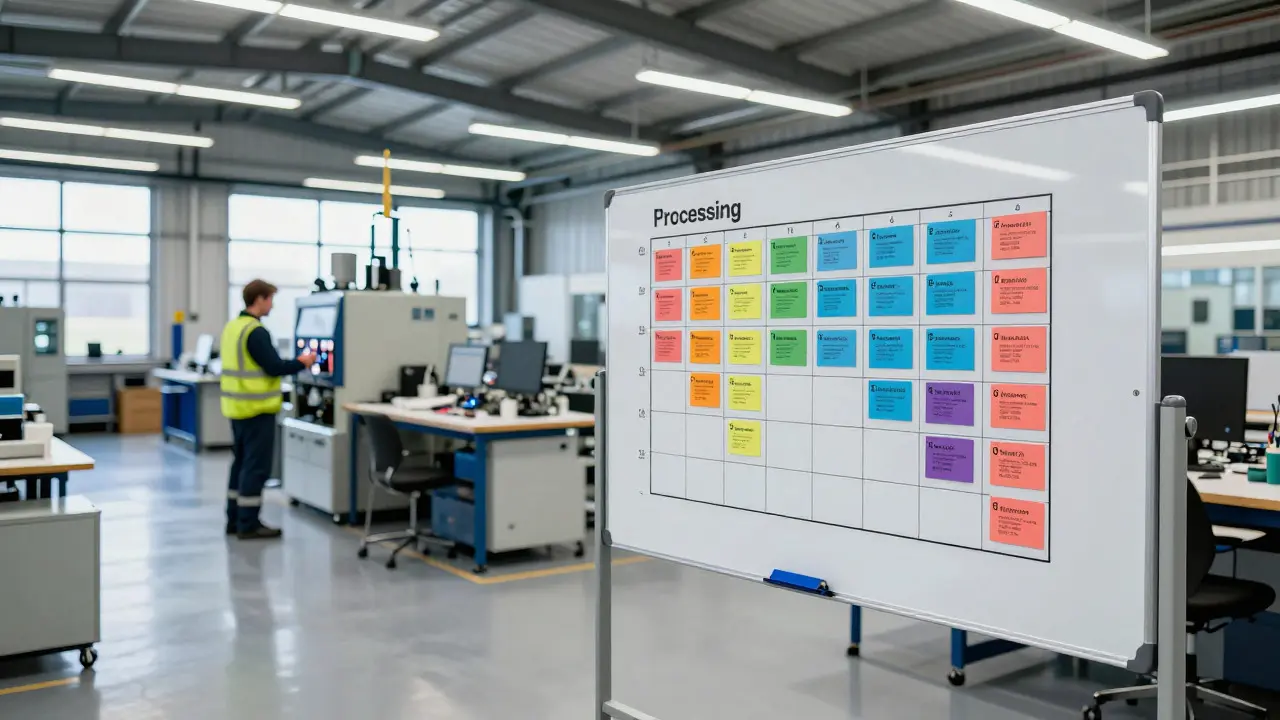
16 Aug, 2026Imagine walking into a busy UK workshop or a customer support hub. In one, you see physical cards moving across a whiteboard, signaling exactly which machine is ready for the next batch of parts. In the other, digital tickets flow from 'New' to 'Resolved,' with clear limits on how many agents can work simultaneously. This is Kanban, a visual workflow management system that uses signals to control production and limit work in progress. Originally developed by Toyota in Japan, it has evolved far beyond car assembly lines. Today, it is a critical tool for both service teams and manufacturers across the United Kingdom, helping them reduce waste, improve lead times, and maintain steady cash flow.
Why Visual Workflow Matters in the UK Context
The UK business landscape is unique. We deal with Brexit-related supply chain adjustments, rising energy costs, and a tight labor market. In such an environment, inefficiency is expensive. Traditional project management often hides problems until they become crises. A manager might not know a bottleneck exists until a client complains or a delivery date slips. Kanban flips this dynamic. By making work visible, you expose constraints immediately. If a column on your board is overflowing, everyone sees it. This transparency drives faster decision-making without needing lengthy status meetings.
For service businesses, like logistics firms or IT consultancies, the product is intangible. You cannot touch a 'service.' Yet, the principles of flow apply just as rigorously. For manufacturers, the physicality of the goods adds complexity. Parts must move through machines, inspections, and packaging. Kanban bridges these two worlds by focusing on the *flow* of value rather than the nature of the output. It ensures that resources are only consumed when needed, reducing inventory holding costs for manufacturers and preventing burnout for service teams.
Core Principles: WIP Limits and Pull Systems
At the heart of Kanban is the concept of Work In Progress (WIP) limits. This sounds simple but is revolutionary. Most organizations encourage employees to start multiple tasks at once. Multitasking, however, increases context-switching time and reduces quality. By setting a hard limit on how many items can be in a specific stage-for example, no more than five orders in 'Processing'-you force the team to finish what they have started before beginning new work. This creates a pull system. Work is pulled into the next stage only when there is capacity, rather than pushed in regardless of readiness.
In a manufacturing setting, this might look like a container of raw materials sitting next to a machine. The machine operator takes parts only when they need them to keep the line running. When the container is empty, a signal card goes back to the warehouse to replenish it. No extra stock sits idle. In a service office, this means a developer doesn't pick up three new bugs while still fixing two others. They finish the current fixes, freeing up cognitive space. The result is predictable cycle times. You can promise clients realistic deadlines because you understand your actual throughput, not just your theoretical capacity.
Implementing Kanban in Manufacturing
UK manufacturers, from small family-run workshops in Birmingham to large automotive suppliers in Coventry, face distinct challenges. Machine breakdowns, material delays, and quality checks create variability. Kanban helps manage this variability. The first step is mapping the value stream. Identify every step from raw material intake to finished good dispatch. Next, visualize the flow. Many factories use physical boards or digital dashboards linked to IoT sensors. Each station displays its current status. Green means on track; red means blocked.
Consider a precision engineering firm producing aerospace components. They implement Kanban by assigning color-coded cards to each job order. As a part moves from milling to drilling, the card moves too. If the drilling machine breaks down, the card stays in 'Drilling.' The visual cue alerts maintenance staff instantly. Meanwhile, upstream stations stop producing parts for that specific job, preventing a pile-up of semi-finished goods. This prevents the 'mountain of WIP' problem where half-made products clutter the floor, tying up capital and space. Over time, data from these cards reveals patterns. Maybe the polishing stage consistently takes longer than expected. That’s your improvement target.

Adapting Kanban for Service Industries
Service industries operate differently. There is no physical inventory, but there is 'intellectual inventory'-ideas, code, documents, and client requests. The risk here is invisible overload. A marketing agency might accept ten new campaigns without realizing their designers are already stretched thin. Kanban brings clarity. Teams create a shared board, often using software tools, with columns representing stages: Backlog, To Do, In Design, Review, Done. Each column has a WIP limit. If 'In Design' is capped at three projects, and all three slots are filled, the fourth project waits. This waiting period isn’t wasted; it’s a buffer that protects quality.
For a UK-based SaaS company, this approach transformed their release process. Previously, features were released chaotically, leading to buggy updates. By implementing Kanban, they limited concurrent feature development. They focused on completing one feature end-to-end before starting another. This reduced deployment errors by 40% within six months. The key insight was that speed comes from stability, not from doing everything at once. Service leaders often fear that limiting WIP will slow them down. In reality, it accelerates completion rates by eliminating the drag of partial tasks.
Digital vs. Physical Boards: Choosing Your Tool
You don’t need to choose between paper and pixels. Many successful UK firms use a hybrid model. On the factory floor, physical boards are durable, accessible without login credentials, and resistant to network outages. In the office, digital boards offer real-time notifications, historical data tracking, and remote accessibility. The choice depends on where the work happens. If your team is distributed across London and Manchester, a digital platform is essential. If your operators are on the shop floor wearing gloves, a magnetic whiteboard is more practical.
When selecting digital tools, look for features that support cumulative flow diagrams. These charts show the volume of work in each state over time. If the band for 'In Progress' widens, you have a bottleneck. If it narrows, you are improving. For manufacturers, integrating Kanban software with ERP systems ensures that financial data aligns with operational flow. This integration allows finance teams to see exactly how much capital is tied up in WIP, enabling better cash flow forecasting. It turns operational visibility into strategic financial insight.
Measuring Success: Metrics That Matter
How do you know if Kanban is working? Don’t rely on gut feeling. Use data. The most important metric is Lead Time-the total duration from request to delivery. Track this weekly. If lead time decreases, your flow is improving. Second, monitor Cycle Time, which measures active work time excluding waiting periods. A gap between Lead Time and Cycle Time indicates bottlenecks or delays in handoffs. Third, track Throughput, the number of items completed per unit of time. Consistent throughput allows for reliable planning. Finally, watch for 'Blockers.' How often does work get stuck? What causes the block? Addressing these root causes is where continuous improvement happens.
A logistics company in Leeds used these metrics to identify that customs clearance was their biggest delay. By visualizing this stage, they realized they were submitting documents late. They adjusted their internal deadline to ensure documents were ready 48 hours earlier. This single change reduced average lead time by two days. The lesson? Kanban isn’t just about moving cards. It’s about exposing hidden friction points so you can remove them.
| Aspect | Service Industry | Manufacturing |
|---|---|---|
| Primary Asset | Intellectual property, time, expertise | Physical materials, machinery, labor |
| Inventory Risk | Burnout, missed deadlines, rework | Excess stock, storage costs, obsolescence |
| Typical Board Type | Digital (Jira, Trello, Azure DevOps) | Hybrid (Digital + Physical Shop Floor Boards) |
| Key Metric | Cycle Time, Utilization Rate | Lead Time, OEE (Overall Equipment Effectiveness) |
| Common Bottleneck | Approval processes, resource allocation | Machine downtime, material shortages |
Common Pitfalls and How to Avoid Them
Even with the best intentions, Kanban implementations can fail. The most common mistake is treating it as a one-time setup. Kanban is a practice, not a product. If you set up a board and never review it, it becomes digital clutter. Schedule regular cadence meetings: daily stand-ups to discuss blockers, weekly reviews to adjust WIP limits, and monthly retrospectives to analyze trends. Another pitfall is ignoring the 'Backlog.' If new work enters the system faster than it leaves, the queue grows indefinitely. Manage demand carefully. Not every idea deserves immediate attention. Prioritize ruthlessly.
Resistance to change is also significant. Workers may feel micromanaged by WIP limits. Frame Kanban as a tool for empowerment, not control. Show them how finishing tasks leads to less stress and higher quality. In manufacturing, involve operators in designing the signal system. If they help create the rules, they will follow them. Change management is as important as the technical setup. Without buy-in, the board will lie, and the data will be useless.
Frequently Asked Questions
Is Kanban suitable for small UK businesses?
Yes, absolutely. In fact, small businesses benefit most because they lack the bureaucratic layers of large corporations. A simple whiteboard and sticky notes can cost nothing yet provide immediate visibility into workflow. The low barrier to entry makes it ideal for startups and SMEs looking to streamline operations without heavy software investments.
What is the difference between Kanban and Scrum?
Scrum works in fixed iterations called sprints, typically lasting two to four weeks, with defined roles like Product Owner and Scrum Master. Kanban is continuous. There are no sprints; work flows as soon as capacity allows. Kanban is often better for support teams or manufacturing where work arrives unpredictably, while Scrum suits product development with stable requirements.
Do I need expensive software to start Kanban?
No. You can start with a physical board, markers, and index cards. Many companies run successfully on physical boards for years. Digital tools are helpful for analytics and remote collaboration, but the core principle is visualizing work and limiting WIP. Start simple, master the basics, then consider upgrading to digital platforms if your team size or complexity demands it.
How long does it take to see results from Kanban?
You will see immediate improvements in visibility and communication within the first week. However, significant reductions in lead time and cycle time usually take three to six months. This is because the team needs time to adjust to WIP limits and eliminate old habits. Consistency is key. The longer you stick to the system, the more accurate your predictive capabilities become.
Can Kanban handle urgent priorities?
Yes, but with caution. Urgent items should bypass the normal queue to prevent starvation of other tasks. However, if 'urgent' items appear constantly, it indicates a systemic issue with prioritization or demand management. Use expedite lanes sparingly and track their frequency. If expedited work exceeds 10-15% of total volume, you need to address the root cause of the urgency.